Dashboard Builder
The Dashboard Builder is Galadril’s visual interface for creating monitoring views. It allows you to transform raw model outputs and pipeline metrics into actionable insights through customizable widgets.
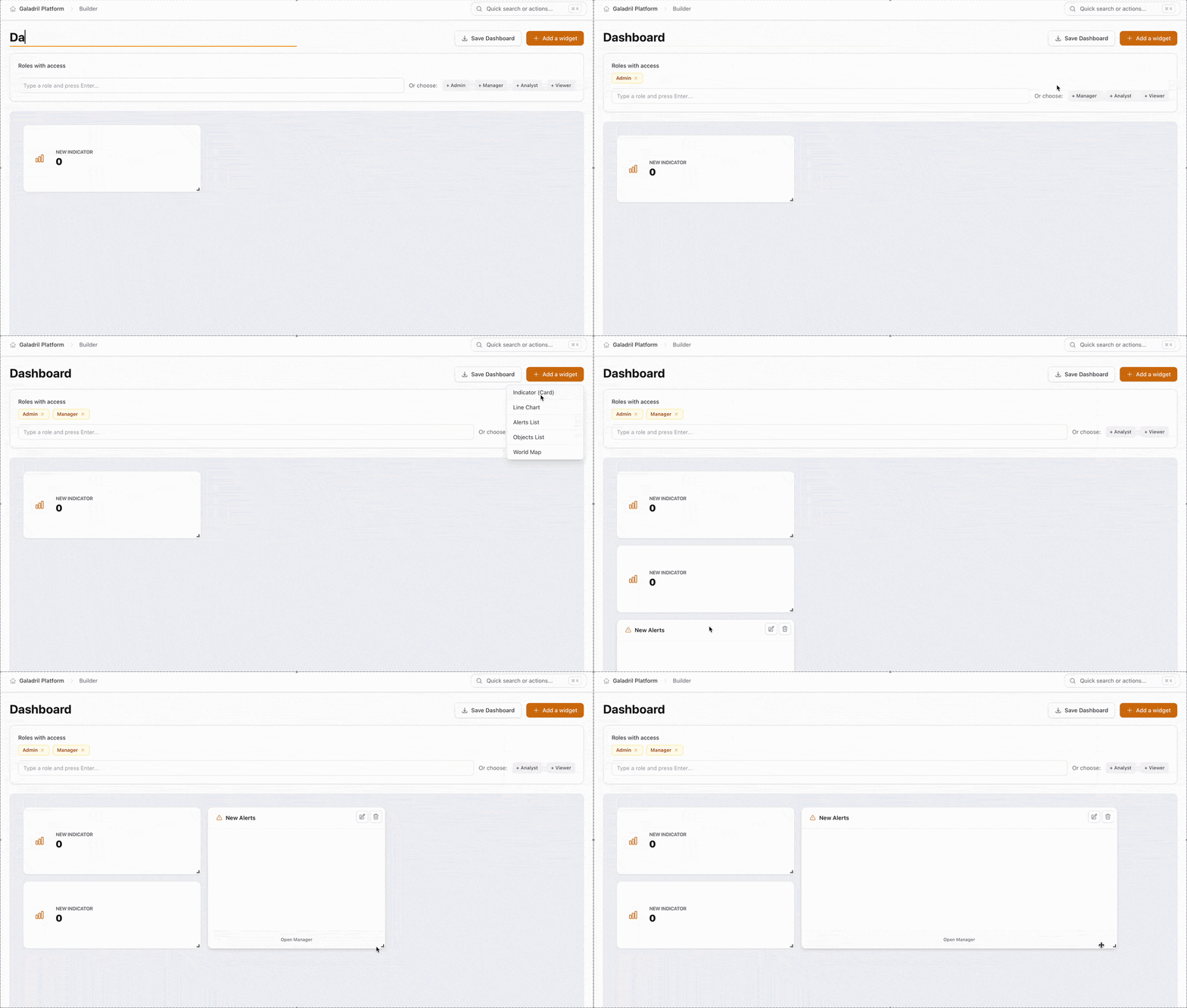
Key Components
The builder interface is divided into three primary functional areas:
1. Header & Identity
- Dashboard Name: The top-left field allows you to give your dashboard a unique identifier.
- Action Bar:
- Save Dashboard: Persists your layout and configuration to the Galadril database.
- Add a widget: Opens the widget library to insert new data visualizations.
2. Access Control (RBAC)
The Roles with access section defines which user groups can view or interact with the dashboard. You can configure this in two ways:
- Manual Entry: Type specific role names and press
Enter. - Quick Select: Use the preset tags to instantly assign standard permission levels.
Widget Library
The following widgets can be added via the + Add a widget button to monitor your pipeline:
| Widget | Best Used For |
|---|---|
| World Map | Visualizing geographic distribution of data points or edge device locations. |
| Indicator (Card) | Displaying high-level, single-value metrics like Total Inferences or System Uptime. |
| Line Chart | Tracking performance trends and latency over time. |
| Alerts List | Monitoring a real-time feed of system warnings or model threshold breaches. |
| Objects List | Reviewing granular data records or individual model detection results. |